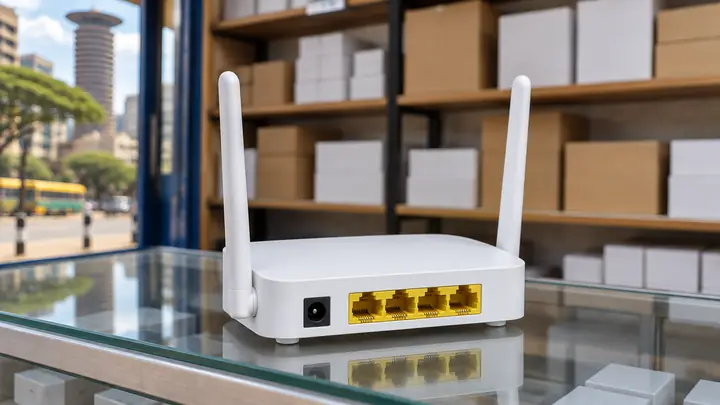
MikroTik L009 Price in Kenya: Is It the Right ISP Upgrade?
The MikroTik L009 price in Kenya currently sits at about KES 16,000 to KES 21,000, depending on the seller, VAT treatment and warranty. That puts the L009UiGS-RM between an entry-level RB951 and the more powerful RB4011, both in cost and hardware capacity.
For a growing hotspot or PPPoE operator, that middle position is useful. You get 512 MB of RAM, eight Gigabit Ethernet ports and a 2.5G-capable SFP cage without paying for a high-end router before the network needs one. If you want billing, customer access and MikroTik management in one place, you can connect the router to Bitwave as part of the upgrade.
The L009 is not a wireless access point. It is a wired RouterOS router meant to sit at the centre of the network while separate access points deliver WiFi to customers.
What is the MikroTik L009 price in Kenya?
As of August 2026, Kenyan listings place the MikroTik L009UiGS-RM at roughly KES 16,000 to KES 21,000. One specialist listing shows KES 16,000, while a major marketplace listing is around KES 20,700. Stock, delivery, warranty and whether VAT is included can change the final amount.
Before paying, confirm that the quotation is for the wired L009UiGS-RM and includes the power adapter and rackmount accessories. The similar L009UiGS-2HaxD-IN has built-in wireless and is a different product.
A low price is not automatically the better deal. Ask who handles warranty claims, whether the unit is new and sealed, and whether the seller can help with RouterOS configuration. A few thousand shillings saved at purchase can disappear quickly if the router arrives without support or the wrong power supply.
What hardware do you get for the price?
The L009UiGS-RM has a dual-core 800 MHz ARM processor, 512 MB of RAM, eight Gigabit Ethernet ports and one SFP cage that supports 2.5G links. It runs RouterOS v7 with a Level 5 licence and has USB 3.0, PoE input and passive PoE output on ether8.
The eight ports are useful at an ISP site. You can keep the upstream link, customer-facing network, access points, management devices and a backup connection on separate interfaces. That makes troubleshooting easier than placing everything on one bridge without a clear port plan.
The SFP cage gives you a cleaner route to fibre backhaul or a switch uplink. It does not make every connection 2.5 Gbps by itself. The SFP module, the device at the other end, the cable or fibre, and the RouterOS configuration must all support the chosen speed.
PoE also needs a closer look. The L009 can accept power through ether1, and ether8 can provide passive PoE to another device. MikroTik notes that PoE output works only when the router is powered through its DC jack. Check the voltage requirements of the access point or radio before connecting it.
How does the L009 compare with the RB951 and RB4011?
The L009 is a practical step up from the RB951 without moving straight to the RB4011. It has four times the RB951Ui-2HnD's RAM, Gigabit ports instead of 100 Mbps ports, and a faster uplink option. The RB4011 still has more processing power, more RAM and a 10G SFP+ cage.
| Router | RAM | Wired ports | Fibre uplink | Best fit |
|---|---|---|---|---|
| RB951Ui-2HnD | 128 MB | 5 x 100 Mbps | None | A small site that also needs built-in 2.4 GHz WiFi |
| L009UiGS-RM | 512 MB | 8 x Gigabit | 1 x SFP, 2.5G supported | A growing hotspot or PPPoE site using separate access points |
| RB4011iGS+RM | 1 GB | 10 x Gigabit | 1 x 10G SFP+ | A busier network that needs more routing and uplink capacity |
RAM and port speed do not provide a guaranteed customer count. Firewall rules, queues, VPNs, packet sizes, traffic patterns and RouterOS configuration all affect performance. Check the current router during peak hours before deciding that hardware is the cause of slow service.
Which ISP setups suit the MikroTik L009?
The L009 suits a small or growing ISP that has outgrown an older entry-level router but does not yet need the RB4011 class. It works best as a central wired router with separate indoor or outdoor access points, a managed switch where needed, and a clear backup-power plan.
It is a sensible fit when:
- An RB951 is running short of ports or spending too much time at high CPU load.
- A hotspot site has several access points and needs Gigabit links between them.
- A PPPoE network needs more room for customer sessions, queues and firewall rules.
- Fibre backhaul or a faster switch uplink is planned.
- The router will be mounted neatly in a rack or equipment cabinet.
The L009 runs RouterOS v7, so it can handle Hotspot, PPPoE, VLANs, queues and firewall rules. Operators using Bitwave can manage customer plans and MikroTik access from one dashboard instead of maintaining every account by hand.
If you are still planning the first site, read the WiFi hotspot business guide for Kenya before choosing the core router, access points and internet source. Hardware should follow the site plan.
When should you choose a different router?
Keep the RB951 if the site is small, the ports are fast enough for the upstream connection, CPU and memory stay comfortable during peak hours, and its built-in WiFi is useful. Replacing working equipment without a measured bottleneck ties up cash that could fund coverage or backup power.
Choose a higher model when the network already needs 10G SFP+, more than eight direct Ethernet connections, heavier VPN use, complex filtering or more processing headroom than the L009 provides. The RB4011 is the closer comparison in that case. Larger networks may need the RB5009 or CCR range, but the right model depends on measured traffic and configuration.
Also remember that the L009UiGS-RM has no built-in WiFi. A new operator who needs one box to route and provide wireless coverage may prefer a MikroTik model with integrated WiFi, although separate access points are easier to position and replace as a site grows.
How should you prepare for the upgrade?
Start with evidence from the current router. Record peak CPU load, free memory, active Hotspot or PPPoE sessions, interface traffic and the rules that consume the most resources. Export the RouterOS configuration and keep a separate backup before disconnecting anything.
Write down the new port map before installation. Decide which interface will carry the upstream link, customer traffic, access points, management network and any backup internet. Label both ends of each cable.
Schedule the change during a quiet period. Update RouterOS, restore or rebuild the configuration carefully, reconnect one network segment at a time, and test payment, login, speed limits and customer access before declaring the migration complete. The MikroTik PPPoE setup guide shows the same discipline on a smaller RB951-to-Tenda connection.
FAQ
How much does a MikroTik L009 cost in Kenya?
The MikroTik L009UiGS-RM costs roughly KES 16,000 to KES 21,000 in Kenya as of August 2026. Confirm the current price, VAT, warranty, power adapter and rackmount accessories with the seller before ordering.
Does the MikroTik L009UiGS-RM have WiFi?
No. The L009UiGS-RM is the wired rackmount model. It is designed to route traffic while separate access points provide WiFi. The L009UiGS-2HaxD-IN is a different model with built-in wireless.
Is the MikroTik L009 better than the RB951 for an ISP?
The L009 is the stronger wired core router: it has 512 MB of RAM, eight Gigabit ports and a 2.5G-capable SFP cage. The RB951Ui-2HnD has 128 MB of RAM, five 100 Mbps ports and built-in 2.4 GHz WiFi. A lightly loaded RB951 may still be enough for a small site.
Put the router into a working billing setup
A router upgrade pays off when customer access, plans and payments remain organised after the cables move. Create a Bitwave account, connect the MikroTik and test the complete customer journey before moving the whole site.
Running an internet business in Kenya?
Bitwave automates billing for 200+ ISP networks: M-Pesa payments, hotspot vouchers, PPPoE and MikroTik management in one dashboard.